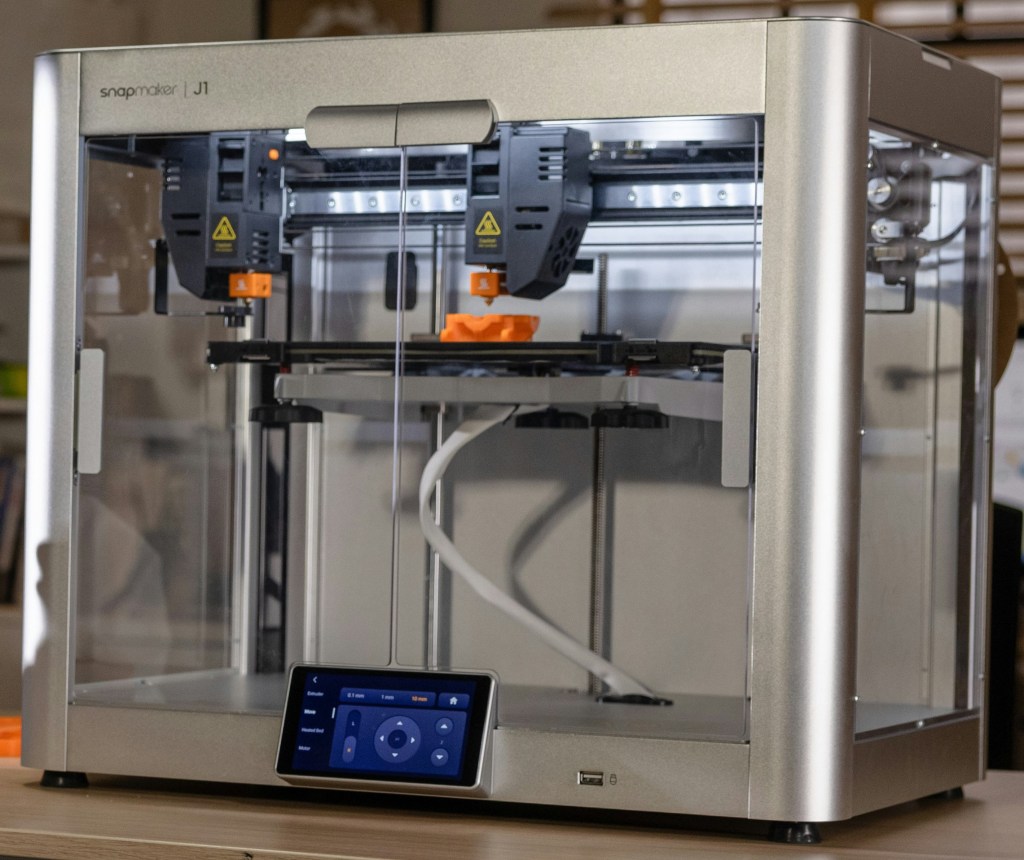
3D printers can be a fun and innovative learning tool, and an increasing number of schools have them. (In fact, one study showed the number of 3D printers in schools tripled in two years). However, they can also be a concerning source of indoor air pollution.
Research has shown 3D printers can release more than 200 different volatile organic compounds (VOC’s, which are chemicals that evaporate in the air at room temperature). Many of these chemicals are hazardous, and they can be odorless. 3D printers also release tiny particles in the air when they are used or cleaned that are so small they can enter the bloodstream. These chemicals and particles can be inhaled by students and staff at school when they breathe. The chemicals and particles can cause headaches; irritate eyes, throats, and the respiratory system; and even lead to heart problems, asthma, and cancer depending on the type and amount that people are exposed to. This is especially concerning because children breathe proportionately more air than adults, so they have greater exposure to whatever is in the air.
What determines the type and amount of particles and chemicals people are exposed to from 3D printers? The kind of printer and filament (the material that’s melted to create the 3D object), how many printers there are, where printers are located in a building, and how printers are used.
The following recommendations can reduce health risks from 3D printers at school and are based on those from the Centers for Disease Control and Prevention National Institute for Occupational Safety and Health, Chemical Insights (a nonprofit organization that has been conducting scientific research on 3D printer emissions in partnership with the Georgia Institute of Technology), and the Washington State Department of Health. The recommendations fall into three main categories: choosing a safer 3D printer and filaments, choosing a safer location for the printer, and using the 3D printer in a safer way.
Choosing a safer 3D printer and filaments
- Purchase 3D printers and supplies that are certified to give off less emissions (gasses and particles released into the air). Look for printers that meet the ANSI/CAN/UL 2904 Standard.
- Choose a fully enclosed printer. This is essentially a clear case that goes around the printer.
- Printers that come with a filter system and direct exhaust lines (so the emissions can be vented outdoors) are important to consider as long as those features have been verified to collect or remove emissions.
- Buy printers that use PLA (polylactic acid) filaments. In general, this type of filament has the lowest emissions.
- Only use the type and brand of filaments recommended by the printer manufacturer. Lower-cost brands that are not recommended may have chemical additives. Of the filaments that are recommended, choose ones with the lowest emissions (this information may be provided by the filament manufacturer or available online).
Choosing a safer location for the printer
- The safest option is to locate 3D printers in an isolated room that’s away from students and staff and that vents contaminants outside. In general, the closer a person is to an operating 3D printer, the more emissions they’re exposed to. The room should have a door that’s kept closed while the printer is operating or being cleaned. Post a sign to keep people out when it’s in use. If you want students to view the printing, think about using tools like cameras or have students look through a window into the enclosed room.
- It’s best if the printer is exhausted directly to the outdoors. If that’s not possible, consider placing the printer under a fume hood that vents outside or near an exhaust fan. (The state of Washington requires 3D printers in their schools to have local mechanical exhaust ventilation even when they’re enclosed and have HEPA and activated charcoal filters.) Another option is placing the printer near an operable window, but that may only help if the air in the room flows out through the window.
- Locate the printer away from return air vents so emissions don’t recirculate to other spaces of the school.
Using the printer in a safer way
- Operate the printer when there are fewer people around to be exposed, like after school. (If the printer’s used before school, the chemicals and particles could still be in the air when students arrive.) However, make sure to use the printer when the building’s heating, ventilation and air conditioning (HVAC) system is running so the emissions are removed from the space. A lot of schools automatically shut down HVAC systems over weekends and overnight.
- Set the printer to the lowest temperature recommended by your printer’s manufacturer. Lower temperatures cause less emissions.
- When using a printer that has an enclosure (which it should), wait 20 minutes after printing is done before opening it. This gives time for the project to cool down so it gives off less emissions.
- 3D printers can pose a fire risk, so don’t run them unattended.
Other recommendations
- Wash hands with soap and water to remove chemicals and particles, especially before eating. Hand sanitizer will not work for this.
- Clean the areas surrounding the printer after every time it’s used or daily with a damp cloth or paper towel. This removes chemicals and particles that may have settled on surfaces. Note: Do NOT use disinfecting wipes for this because they’ll add more chemicals to the surface. Water is all you need.
- When vacuuming the space, use one with a HEPA filter to trap particles.
Families can help by sharing this information with teachers and administrators before a 3D printer is brought into your school or after if you have concerns about how, where, or when the printer is being used. While these recommendations reduce health risks from 3D printers, they don’t eliminate them. Staff should carefully consider whether the benefits outweigh the risks. Also, understand the user is making a choice that impacts the health of many, especially if the printer isn’t exhausted directly outside or it’s located in a classroom. Choose wisely—kids at school don’t have a say about what’s in the air they breathe, yet they’re the most impacted and the impacts can last a lifetime.
References
“3D Printer School Safety: A Guide for Supporting Indoor Air Quality & Human Health,” Chemical Insights (an Institute of Underwriters Laboratories Inc.), 2020, https://greenstrides.org/sites/default/files/3D_Printer_School_Safety.pdf, viewed 9/29/25
“Approaches to Safe 3D Printing: A Guide for Makerspace Users, Schools, Libraries, and Small Businesses,” Centers for Disease Control and Prevention National Institute for Occupational Safety and Health, DHHS (NIOSH) Publication No. 2024-103, November 2023, https://www.cdc.gov/niosh/docs/2024-103/pdfs/2024-103.pdf, viewed 9/29/25
“3D Printers,” School Environmental Health and Safety Program, Washington State Department of Health, https://doh.wa.gov/community-and-environment/schools/3d-printers, viewed 9/29/25
“Underwriters Laboratories Publishes ANSI/CAN/UL 2904 Standard for 3D Printers: Standard Method for Testing and Assessing Particle and Chemical Emissions from 3D Printers now available,” February 5, 2019, https://ul.org/press-releases/underwriters-laboratories-publishes-ansi-can-ul-2904-standard-for-3d-printers/, viewed 10/3/25
“3D Printing Research at EPA,” U.S. Environmental Protection Agency, last updated December 11, 2024, https://www.epa.gov/chemical-research/3d-printing-research-epa, viewed 10/1/25
Created October 2025
 Wyoming Healthy Schools